
Anker 575 USB-C Docking Station review
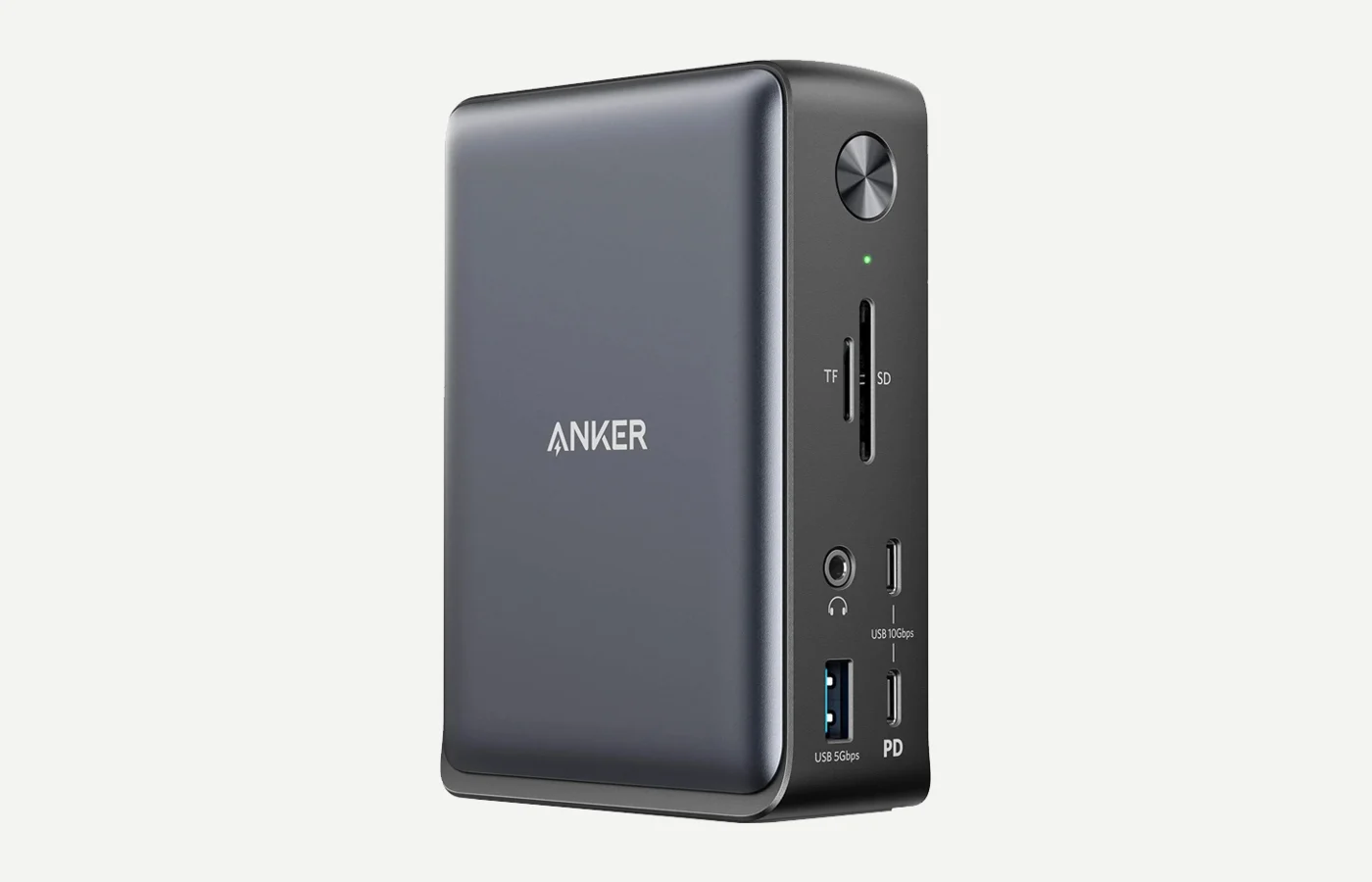
A full-size 13-in-1 USB-C dock for laptop users who want one reliable connection for charging, displays, storage, Ethernet, and everyday accessories.
By Adam Anderson, Editor and CEO
This article contains paid Amazon links. Gearsentials may earn a commission from qualifying purchases. Affiliate standards.
How this review was evaluated
Adam has used the Anker 575 as an everyday laptop-desk dock. Current port, charging, display, and compatibility claims below were checked against Anker's product page and support documentation. This page doesn’t present lab benchmarks or a complete device-by-device compatibility test.
A desk dock for laptop-first setups
A desk dock earns its space by making the laptop feel boring—in a good way. Plug in one cable and the monitor, charging, Ethernet, and USB accessories should simply be there. The Anker 575 is built for exactly that routine.
It isn’t a tiny travel hub, and pretending otherwise would make for a miserable carry-on. This is a desk dock, and that’s the point. It gives a laptop-first setup a stable place for power, displays, storage, Ethernet, and the usual mix of USB-A and USB-C accessories.
The bigger reason I kept using it’s convenience. After dealing with smaller USB-C hubs that didn’t hold up in my setup, a powered dock that stays wired on the desk is more useful to me than another portable adapter with an impressive port list.
What it handles on my desk
My daily setup isn’t exotic. It's the normal laptop desk problem: charging, display, phone charger, HDMI, and a shifting pile of USB-A and USB-C stuff. The dock gives me one place for that mess to land.
- Laptop charging
- External display
- Phone charger
- HDMI gear
- USB-A accessories
- USB-C accessories
- SD cards
- Ethernet when needed
The useful spec-sheet version
The detail page gets long, but the practical version is simple: this is a desk dock with enough ports for a real setup, not a little emergency adapter.
- 13 total ports
- 85W USB-C laptop charging
- 18W USB-C Power Delivery for a phone or smaller device
- Two HDMI ports plus DisplayPort
- USB-C data, three USB-A ports, Ethernet, SD, microSD, and 3.5mm audio
- Includes a power adapter and USB-C cable
| Decision | What the Anker 575 provides | What to check first |
|---|---|---|
| Laptop charging | Up to 85W | Laptop power requirement under sustained load |
| Fastest data path | Up to 10Gbps | Whether your storage or workflow needs more |
| Displays | Two HDMI ports and one DisplayPort | Host DP mode; macOS mirrors multiple external outputs |
| Networking | Gigabit Ethernet | Whether the network exceeds 1Gbps |
| Camera cards | UHS-I SD and microSD | Whether the workflow needs UHS-II or CFexpress |
See the current Anker listing
Paid links. Gearsentials may earn a commission from purchases.
What to know before buying
I still wish it had a CFexpress slot for camera cards. That said, basically no normal dock solves that, so I don't hold it against this one too hard.
- Anker says its multiple external display outputs can show different content on compatible Windows systems, while macOS mirrors the external displays connected through this dock.
- The host laptop must support DisplayPort Alt Mode and Power Delivery, and the laptop still controls the final resolution and refresh rate.
- It doesn't have CFexpress Type A or Type B, which would be great for camera workflows but is still rare on desk docks like this.
- It's a desk dock, not a tiny travel dongle. That’s the point.
Bottom line
The Anker 575 is a good fit for a laptop-first desk that needs 85W charging, ordinary USB accessories, Gigabit Ethernet, cards, and a single external display through one cable. Compatible Windows laptops can make better use of its multiple built-in display connectors.
Skip it for two independent external Mac displays, Thunderbolt storage, 2.5GbE, UHS-II cards, or a laptop that needs more charging power. The Anker 575 versus CalDigit TS4 comparison explains when those upgrades justify a different dock.
Ready to upgrade the desk?
Paid links. Gearsentials may earn a commission from purchases.