
Anker Prime 160W vs 200W: wall charger or desktop station?
These chargers share a name but belong in different places. One hangs from the wall; one lives on a desk. The real test is what you charge at the same time.
By Adam Anderson, Editor and CEO
This article contains paid Amazon links. Gearsentials may earn a commission from qualifying purchases. Affiliate standards.
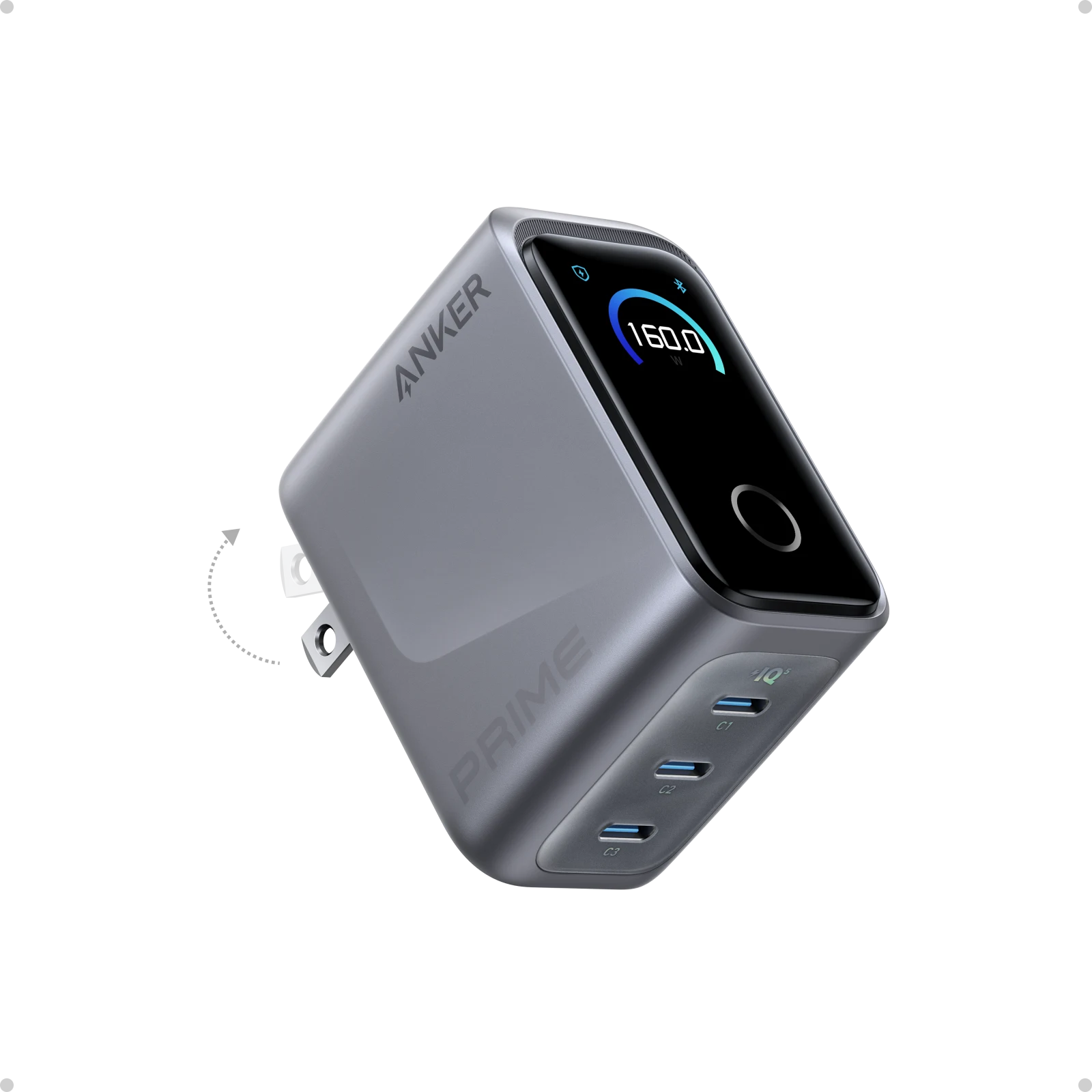
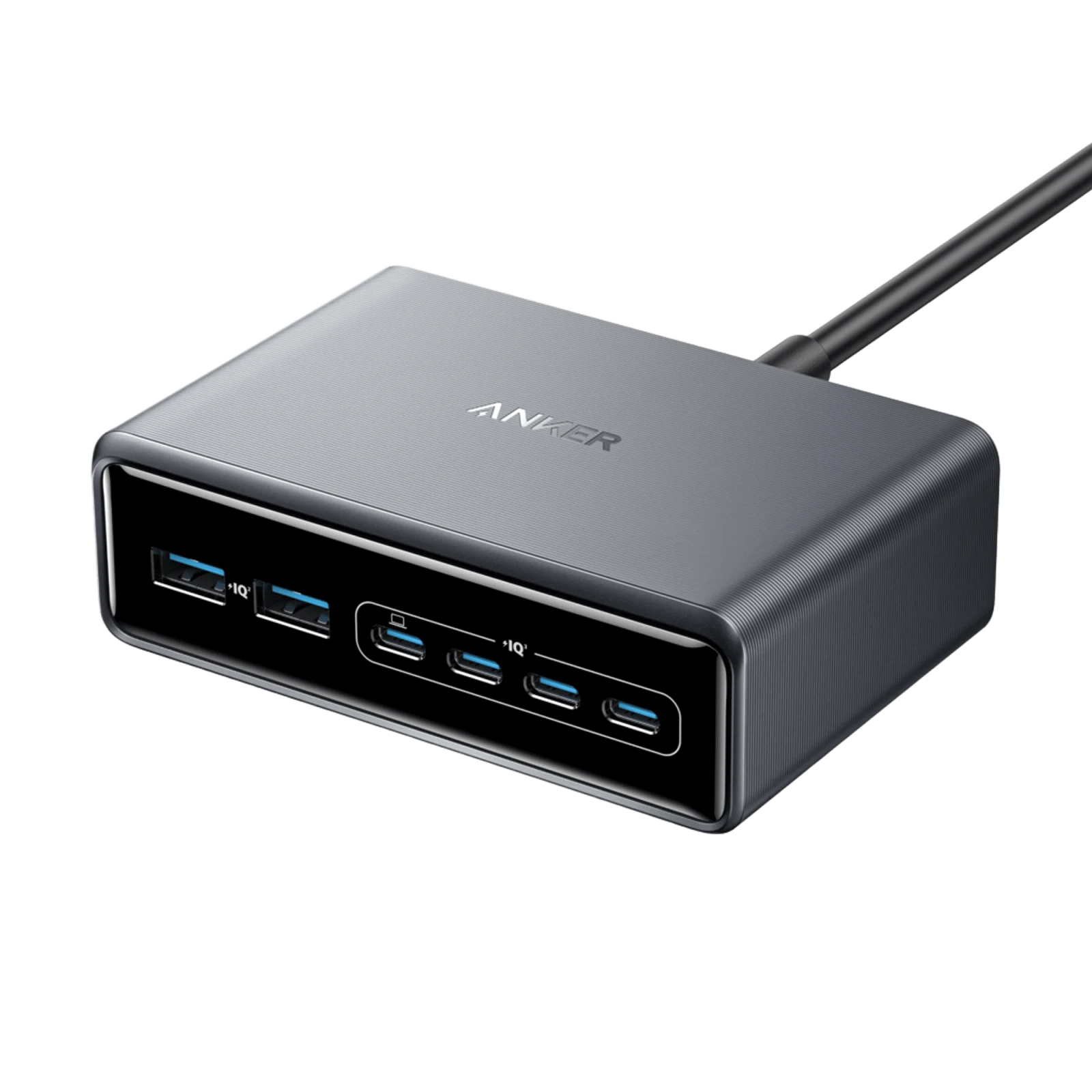
Anker Prime 160W vs 200W compared
Swipe to compare →
| Decision | Prime 160W A2687 | Prime 200W A2683 |
|---|---|---|
| Physical role | Folding-prong wall charger | Corded desktop station |
| Ports | 3 USB-C | 4 USB-C, 2 USB-A |
| Shared ceiling | 160W | 200W with 2–4 ports; up to 199W with 5–6 |
| Standard single-port ceiling | 140W USB PD 3.1 EPR | 100W USB PD |
| Two-laptop fit | 160W shared | Up to 100W + 100W |
| Controls | Display, touch control, Bluetooth app, charging modes | No display or app |
| Size | 65 × 52 × 35mm | 112 × 76 × 35mm |
| Weight | 220g | 563g without AC cord |
| Best reason to buy | One 140W-class laptop and travel | Two laptops or four to six desk devices |
| Main downside | Only three USB-C ports; expensive controls | Stationary; no device gets more than 100W |
Choose the 160W for travel and the higher single-laptop ceiling
The A2687's useful advantage isn’t its smart screen. It’s the combination of a compact wall-charger shape and up to 140W through standard USB PD 3.1 EPR on any of its three USB-C ports. That can suit a 16-inch MacBook Pro-class travel setup when the laptop and cable path support the required profile.
Anker lists the charger at 65 by 52 by 35mm and 220g, with folding prongs. It’s substantially easier to pack than the 563g desktop unit and its separate AC cord. The display shows total and per-port power, while the Anker app can expose additional charging modes and priorities. Those controls are useful for someone who wants to see the split rather than guess which device received it.
The downside is concentration. Three USB-C ports are enough for a laptop, phone, and tablet, but not a full desk of accessories. A 220g charger also puts more leverage on a wall outlet than a small phone brick. And if the laptop only requests 65W or 100W, the display, Bluetooth, and 140W ceiling may be expensive features rather than meaningful improvements.
Travel and high-power laptop pick
Paid links. Gearsentials may earn a commission from purchases.
Best for: One 140W-class laptop plus two USB-C devices, especially when the charger travels. Skip if: The setup needs USB-A, more than three connections, or only a sub-100W laptop and phone.
The 150W claim isn’t universal 150W laptop charging
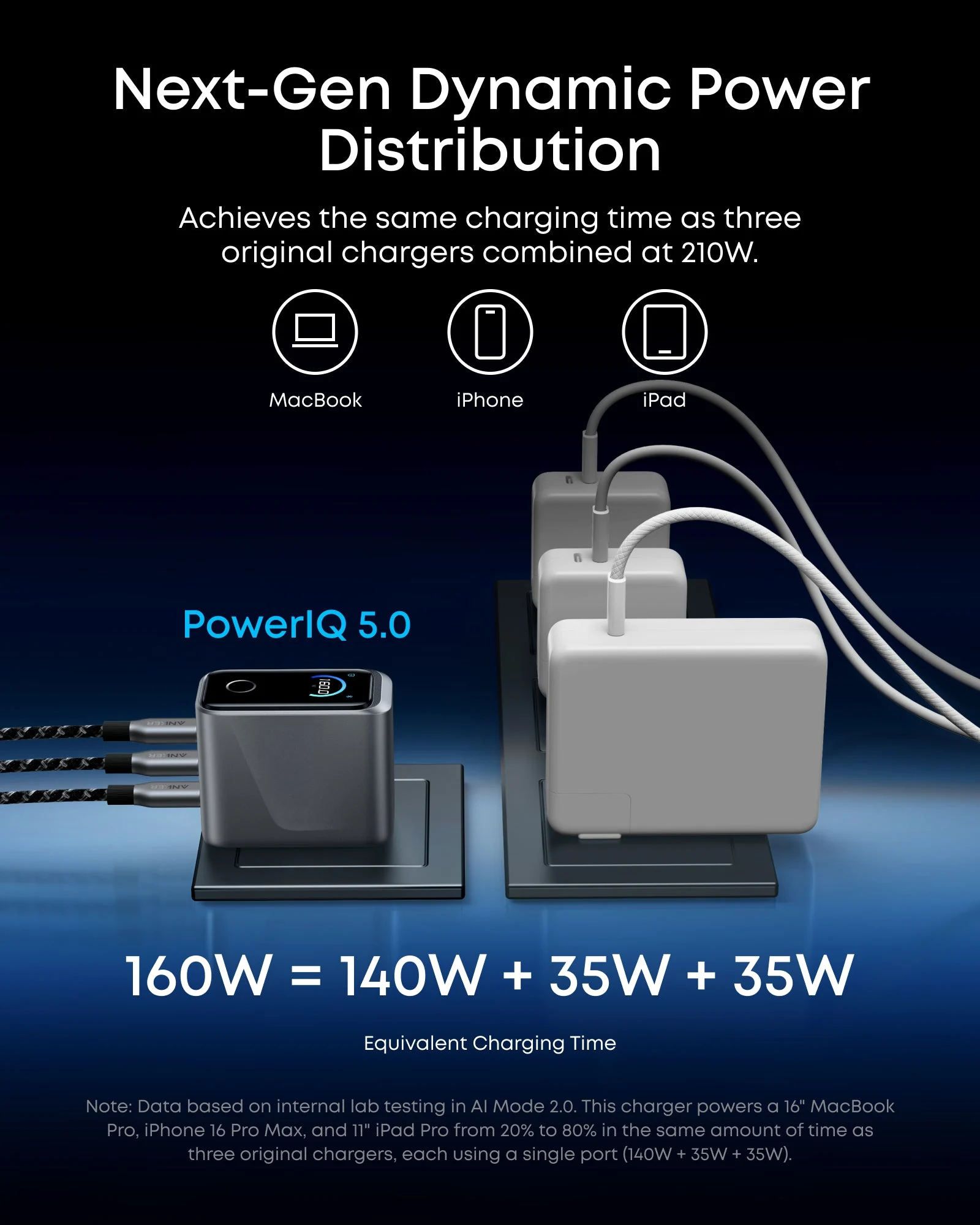
Each A2687 USB-C port supports up to 140W through standard USB PD 3.1 EPR at 28V and 5A. Anker also lists a 150W mode at 28V and 5.36A, but that uses Anker Protocol rather than ordinary USB Power Delivery. Anker currently documents it for compatible Prime power-bank hardware in AI Mode 2.0 with a listed cable.
For ordinary laptops, treat the A2687 as a 140W single-port charger—not a universal 150W USB-C charger. The distinction also explains why a search result can accurately repeat "150W" while still overstating what a MacBook or Windows laptop will receive. The device, charging mode, cable, and protocol all have to agree.
Choose the 200W for two laptops and a permanent desk
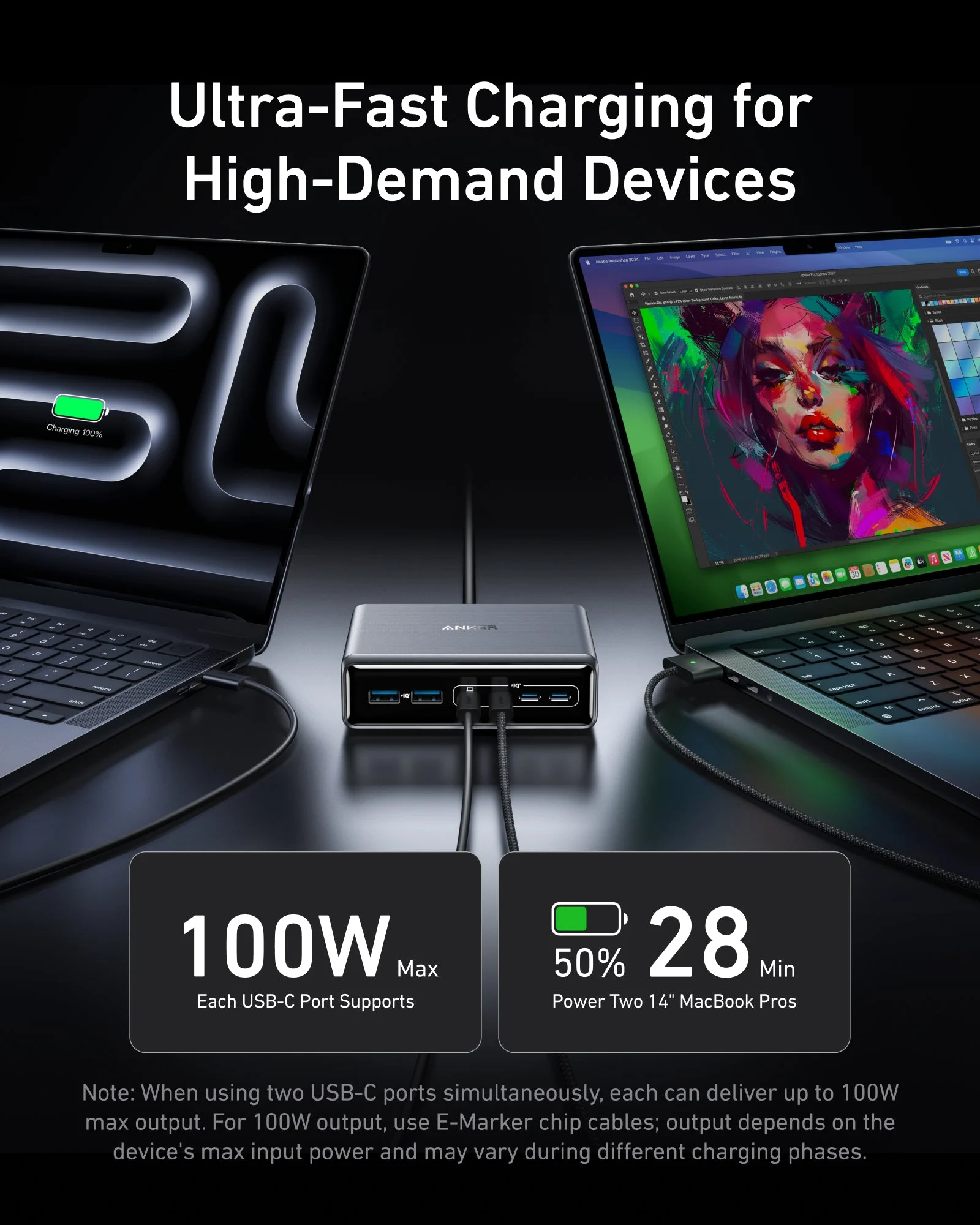
The A2683 trades portability and per-port peak power for six physical connections. Its four USB-C ports each support up to 100W, and Anker explicitly documents two USB-C ports at up to 100W each when the devices and E-Marker cables support that draw. Two USB-A ports remain available for a watch cable, older earbuds, keyboard, or another accessory that hasn’t moved to USB-C.
That makes the desktop station cleaner for two work laptops than the nominally newer 160W wall charger. The A2687 has the higher single-device ceiling, but it can’t create 100W plus 100W from a 160W total. The A2683 can keep its useful 200W ceiling with two, three, or four ports active; Anker lists up to 199W with five or six.
The downside is that no connected device gets more than 100W. The charger is also a station rather than a travel brick: 112 by 76 by 35mm, 563g before its AC cord, and designed to live on the desk. It has no display or app. That simplicity can be a benefit, but a buyer who wants live per-port readings won’t find them here.
Two-laptop desk pick
Paid links. Gearsentials may earn a commission from purchases.
Best for: Two USB-C laptops at up to 100W each, older USB-A accessories, or four to six desk devices. Skip if: One laptop needs more than 100W, the charger must travel, or three USB-C ports already cover the setup.
Two laptops expose the real difference
An independent ChargerLAB test of the A2687 measured roughly 77.6W and 76.1W while charging two laptops. That’s close to the shared 160W ceiling after conversion losses and overhead. The same test measured about 60W, 50W, and 35W with two laptops and a phone. Those results make the A2687 useful for a mobile multi-device setup, but they aren’t equivalent to two 100W feeds.
Anker's A2683 output table documents the cleaner desk case: two USB-C connections at up to 100W each. The exact laptop still decides what it requests, and charging power normally tapers as a battery fills. But the station starts with the correct total budget for two 100W-class machines instead of asking them to share 160W.
One high-power laptop
160W: up to 140W standard USB PD
Two 100W-class laptops
200W: up to 100W + 100W
Six mixed devices
200W: four USB-C plus two USB-A
Write down the simultaneous load before choosing
Don’t add the numbers printed on every factory charger and assume the replacement must equal the sum. Write down what will actually be connected at the same time, then separate high-demand laptops from phones, tablets, watches, earbuds, cameras, and power banks. A laptop may request its high rate early and much less later.
For the 160W model, the decisive list is usually one high-power laptop plus two USB-C devices. For the 200W station, the decisive list is two laptops or a desk with more than three cables. If only one 65W laptop and a phone appear on the list, a smaller charger can solve the same problem with less weight and cost.
One-minute charger worksheet
- List every device that charges at the same time.
- Mark each connector as USB-C, USB-A, MagSafe, or proprietary.
- Find the maximum USB-C input each laptop actually supports.
- Choose the smallest charger whose port allocation fits that real load.
- Add the correct E-Marker or EPR cables before comparing totals.
Cables can erase the advertised advantage
Neither exact offer includes a USB-C charging cable. The 200W station includes its AC cord, but the cables from the station to the devices are still the buyer's responsibility. Anker says 100W output on the A2683 requires E-Marker cables. The A2687's 140W USB PD 3.1 EPR path also requires the correct high-power cable and a laptop connection that supports the profile.
Apple's fast-charge path varies by MacBook Pro generation and cable route. Some models use MagSafe 3 for the highest supported rate, while later models can use a compatible 240W USB-C cable. Check the exact laptop before assuming a 140W charger and a random USB-C cable will reproduce the factory-brick behavior.
Sustained maximum output is a stress case, not a permanent promise
Anker qualifies the A2687's single-port claim at North American voltage: at 77°F, it says the charger runs without derating for at least one hour in 100–130V regions. Independent Smartzone testing held 140W on one port but saw a sustained two-load 160W test reduce after roughly 40 minutes. That doesn’t invalidate normal laptop charging, where demand usually tapers, but it matters for a buyer planning a constant maximum load.
TechTest similarly reported that its A2683 held 100W plus 100W for about 1.5 hours before reducing to roughly 70W per port. Treat both observations as demanding laboratory cases from individual review samples, not guaranteed timers. The practical lesson is that a charger's headline ceiling isn’t necessarily a continuous output contract under every temperature, input voltage, and workload.
Other Anker models considered
Anker's lineup also includes smaller 100W and 140W-class wall chargers and larger Prime desktop stations. A smaller charger is the better alternative when one laptop and one phone are the full load. A larger 250W-class station makes sense only when more total desk power, more controls, or a different port distribution solves a documented need.
The important comparison isn’t "which Prime number is highest?" It’s whether the charger lives in a bag or on a desk, how many connections must remain available, and how much the two largest devices request at the same time.
Who should buy neither charger?
Skip both when one sub-100W laptop and a phone cover the setup. A smaller two- or three-port charger is easier to carry and may be cheaper. Also skip both as a full replacement for a gaming laptop that requires a 180W, 240W, or 330W proprietary adapter. USB-C may support light work on some models, but it doesn’t automatically replace the factory brick under gaming load.
Finally, don’t buy the 160W only for its display or the 200W only because its total is larger. If the display won’t change how you allocate power, or the extra three ports will stay empty, the feature isn’t solving a buying problem.
How this comparison was evaluated
We matched Anker's current model numbers A2687 and A2683 to their product pages, support specifications, output tables, manuals, and exact Amazon ASINs. We cross-checked port behavior against USB Power Delivery guidance and independent ChargerLAB, Smartzone, TechTest, and TechRadar testing. We didn’t convert manufacturer peak claims into universal device results.
The Amazon offers were last checked on August 1, 2026 with populated in-stock buy boxes sold by AnkerDirect and fulfilled by Amazon; neither default offer displayed a used or refurbished label. The final seller, shipper, condition, product child, and available buy box can change. Verify those fields on the final page before paying; the buttons don’t hard-code a price or availability promise.
The verdict
The Anker Prime 160W A2687 wins the travel job when one laptop can use up to 140W and three USB-C ports cover the travel kit. Its per-device ceiling is higher, and the screen makes a three-device split visible. Accept that it’s a dense 220g wall brick and that its special 150W mode isn’t universal laptop USB Power Delivery.
The Prime 200W A2683 should stay on a desk, where two laptops may each request up to 100W or four to six mixed devices need permanent connections. Accept that it’s stationary, has no display, and can’t give one device more than 100W. If the setup is smaller than either scenario, buy less charger.
Choose by location and simultaneous load
Paid links. Gearsentials may earn a commission from purchases.
Best for: 160W for one high-power mobile setup; 200W for two laptops or a six-device desk. Skip if: The final offer changes model, condition, seller, or shipper—or a smaller charger already covers the real load.
FAQ
Is the Anker Prime 200W faster than the 160W charger?
Not for one ordinary USB-C laptop. The 160W A2687 supports up to 140W through standard USB PD 3.1 EPR, while each USB-C port on the 200W A2683 tops out at 100W. The 200W model wins when the setup needs more total ports or two USB-C laptops at up to 100W each.
Can the Anker Prime 160W charge a laptop at 150W?
Treat it as a 140W laptop charger. Its standard USB PD 3.1 EPR output reaches 140W at 28V and 5A. Anker's 150W mode uses Anker Protocol and is documented for specific Anker Prime power-bank hardware, AI Mode 2.0, and a compatible cable—not as universal 150W laptop charging.
Which one is better for two laptops?
The 200W A2683 is the clearer two-laptop choice because Anker documents two USB-C ports at up to 100W each. The 160W A2687 can split power between two laptops, but the shared 160W ceiling prevents a 100W-plus-100W result.
Does either Anker charger include a USB-C cable?
Neither exact charger listing includes a USB-C charging cable. The 200W desktop station includes its AC power cord. Budget for the correct E-Marker or EPR USB-C cable for the power level and laptop connection you intend to use.
Will either charger replace a gaming-laptop power brick?
Usually not when the laptop requires 180W, 240W, or 330W through a proprietary barrel connector. Some gaming laptops accept lower USB-C power for light work, but that doesn’t make either Anker charger a full replacement for the factory adapter under gaming load.
Which charger is better for travel?
The 160W A2687. It has folding wall prongs, weighs 220g, and measures 65 by 52 by 35mm. The 200W A2683 weighs 563g before its AC cord and is designed to remain on a desk.
Sources
- Anker Prime 160W A2687 product page
- Anker Prime 160W support specifications
- Anker Prime 160W user guide
- Anker Prime 200W A2683 product page
- Anker Prime 200W support specifications
- USB-IF USB Power Delivery overview
- Apple Mac fast-charging guidance
- ChargerLAB Anker Prime 160W test and teardown
- Smartzone Anker Prime 160W test
- Smartzone Anker Prime 200W test
- TechTest Anker Prime 200W load test
- TechRadar Anker Prime 200W review