
Smart home · Buying guide
ecobee Smart Thermostat Premium buying guide
A room sensor and Apple HomeKit support sound simple. The choice gets harder when you separate phone control from Siri, room sensing from zoned heating, and the thermostat from its optional subscriptions. Here's what to check before it goes on your wall.
By Adam Anderson, Editor and CEO, Gearsentials
This article contains paid Amazon links. Gearsentials may earn a commission from qualifying purchases. Affiliate standards.
Firmware note: an official temperature-reading incident remains under monitoring. Read the firmware check below before ordering.
ecobee Smart Thermostat Premium · standard package
Paid links. Gearsentials may earn a commission from purchases.
A firmware check comes before the feature list
As checked on October 19, 2026, ecobee's temperature-reading incident is still marked Monitoring. The manufacturer says a fix reached most affected thermostats, but its September 23 update says a small number remain affected. Devices running firmware 4.10.7.44 hadn't been upgraded because further third-party approval or testing was needed.
That's a specific unresolved issue, not proof that every unit reads incorrectly. It also means an older glowing review can't settle the question for a unit you're buying today. Check the incident record and ask ecobee support about the device's firmware if it falls into the affected group. Don't change heating or cooling settings to hide an unexplained reading.
Apple HomeKit control and Siri aren't the same feature
The thermostat supports Apple HomeKit, but using the Apple Home app isn't the same as making the thermostat itself a Siri speaker. That distinction can save you an extra hardware purchase you didn't expect.
| What you want | What to check |
|---|---|
| Control in the Apple Home app | Apple HomeKit pairing and the requirements for the Apple Home features you use. |
| Talk to Siri at the thermostat | An Apple HomePod or Apple HomePod mini. Apple says the speaker must be on the same Wi-Fi network. |
| Talk to Amazon Alexa at the thermostat | Its built-in Amazon Alexa option, set up for that voice assistant. |
ecobee's current product documentation names the Apple HomePod requirement for Siri. Apple's Siri-enabled accessory guide also says Siri can't be enabled on an accessory while another voice assistant is enabled there. Support for two ecosystems doesn't mean both assistants listen on the same thermostat at once.
What the included ecobee SmartSensor changes
A hallway reading can miss what's happening in a bedroom. The included ecobee SmartSensor adds temperature and occupancy readings from another room. Its current specification lists those two measurements. Humidity sensing is in the thermostat, not that room sensor.
The practical gain is another place to take the temperature, with occupancy helping inform features such as Follow Me. The sensor still works through the thermostat and your existing heating or cooling system. It doesn't add a separate heater, air conditioner or independently controlled heating or cooling zone to a room. More readings aren't the same as more control over airflow.
That's worth understanding before you buy extra sensors for every room. Start with the room whose temperature matters at the time you'll use it, and check which sensor readings take part in the relevant comfort setting. A sensor isn't a repair for an underlying heating, cooling or airflow problem.
The part Adam liked: controls and schedules
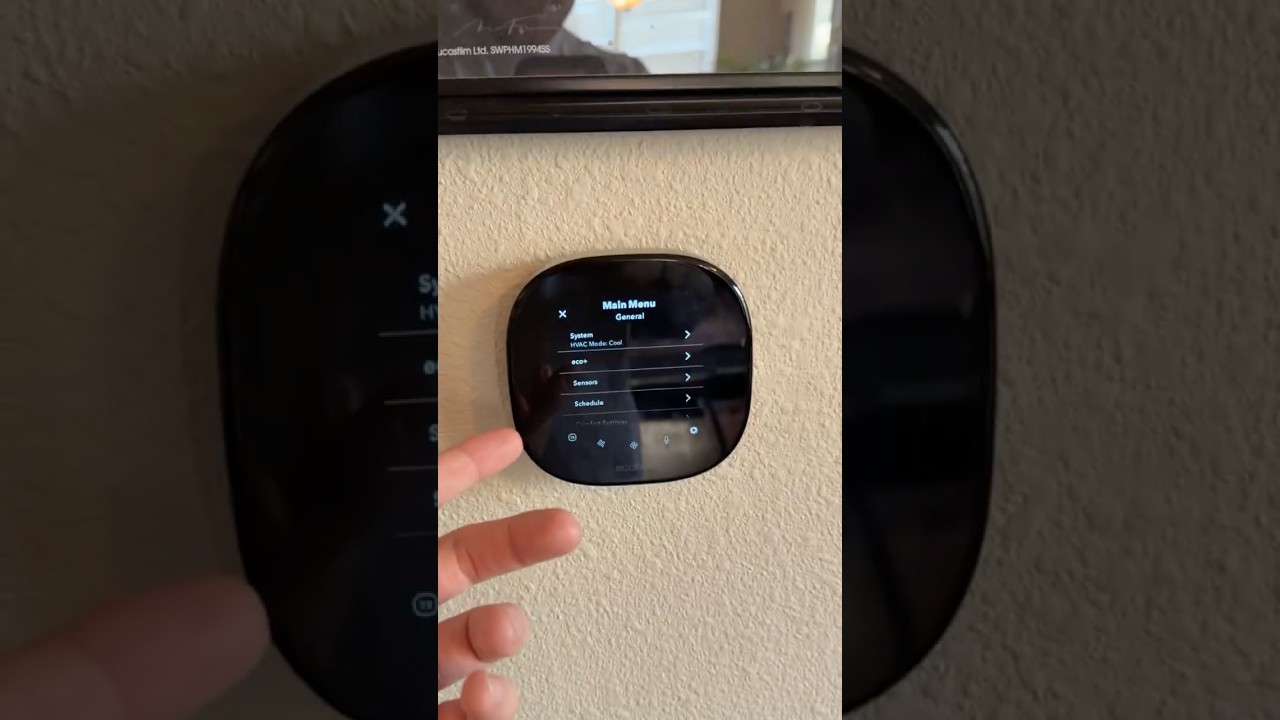
In his Gearsentials video, Adam Anderson describes choosing this model while moving from Amazon Alexa toward Apple HomeKit. He liked how it looked in his living room and found the touchscreen responsive. He also preferred setting things up on his phone, while noting the deeper settings on the thermostat itself.
Those are useful day-to-day observations. They aren't an energy-bill comparison or a measurement of temperature accuracy. His video was published before ecobee's September incident updates, so it doesn't establish the status of that firmware fix.
Independent reviews point in a similar direction on usability: TechGearLab's testing found the touchscreen responsive and the schedule controls straightforward. Android Central's 2022 review also praised the interface.
The useful question is whether you'll use those controls. A schedule that fits your day matters more than a screen full of settings you'll never open. This guide doesn't assume a particular reduction in your heating or cooling bill.
Check the standard thermostat package
Paid links. Gearsentials may earn a commission from purchases.
Check the seller, return terms and current firmware guidance before ordering.
A move doesn't guarantee an easy reinstall
ecobee lists support for many 24-volt heating and cooling systems (24VAC), and the standard box includes a Power Extender Kit. Neither statement means it fits every wall or wiring setup. Use the official thermostat compatibility checker for the specific system, and have a qualified installer resolve wiring or equipment questions before you buy.
Adam's apartment use is one example, not a rental-wide rule. Get the property owner's permission before replacing a rental's thermostat. Taking the device with you later also depends on restoring the old installation safely and checking the next home's system. The thermostat can move; compatibility doesn't travel with it.
Separate thermostat controls from paid security features
A paid ecobee Smart Security subscription isn't required just to operate the thermostat. The current service agreement makes the service optional. Features such as smoke-alarm detection and pausing HVAC when a door or window stays open have additional plan and hardware requirements; they aren't a reason to assume everything shown in a bundle is in the standard box.
Check the current ecobee Smart Security plans for any security feature you want. The included room ecobee SmartSensor isn't the same product as ecobee SmartSensor for doors and windows. And an air-quality display isn't the same feature as listening for a smoke alarm.
Building out the rest of an Apple Home setup too? Our Aqara U400 vs Schlage Sense Pro comparison covers the separate phone, door and connection checks for a smart lock. And if the front door is next, our guide to wiring a Ring battery doorbell to your old chime covers the doorbell transformer check.
The final decision
The ecobee Smart Thermostat Premium makes the most sense when the included room sensing, Apple HomeKit support and on-wall controls solve problems you already have. Those are the reasons to pay attention, rather than treating every extra feature as a free upgrade to your home.
For a new purchase, confirm heating and cooling compatibility, the voice setup you want and the current firmware guidance first. If you can't establish how the unresolved temperature-reading issue applies to the unit, pause the purchase and ask ecobee support. A feature list can wait; a trustworthy temperature reading can't.
If your current thermostat already controls the temperature reliably and you don't need another room's reading, keep it. A nicer wall display alone is a thin reason to replace working heating controls. For an existing ecobee Smart Thermostat Premium, an affected firmware version calls for the manufacturer's support guidance, not an automatic replacement purchase.
ecobee Smart Thermostat Premium buying option
Paid links. Gearsentials may earn a commission from purchases.
Standard package with one room ecobee SmartSensor, without a paid subscription plan. Review the firmware note above before ordering.
Sources
- Gearsentials: Adam Anderson's ecobee Smart Thermostat Premium video
- ecobee: temperature-reading incident and firmware updates
- ecobee: current product specifications and box contents
- ecobee: room SmartSensor specifications
- Apple: Siri-enabled accessory requirements
- ecobee: thermostat compatibility checker
- TechGearLab: independent testing
- Android Central: August 2022 review
- ecobee: current ecobee Smart Security plans
- ecobee: current optional-service agreement