
Portable storage · iPhone video
Samsung T9 for iPhone ProRes recording: what works and what you'll waste
ProRes eats iPhone storage fast. Apple says the files can be up to 30 times bigger than standard HEVC video. So you plug in a portable SSD and record straight to it. The Samsung T9 is one of the drives people reach for, and it's fast. The question is whether your iPhone can use that speed, and whether the drive clears every rule Apple sets, not just the speed one.
By Adam Anderson, Editor and CEO, Gearsentials
This article contains paid Amazon links. Gearsentials may earn a commission from qualifying purchases. Affiliate standards.
The drive in this guide
Paid links. Gearsentials may earn a commission from purchases.
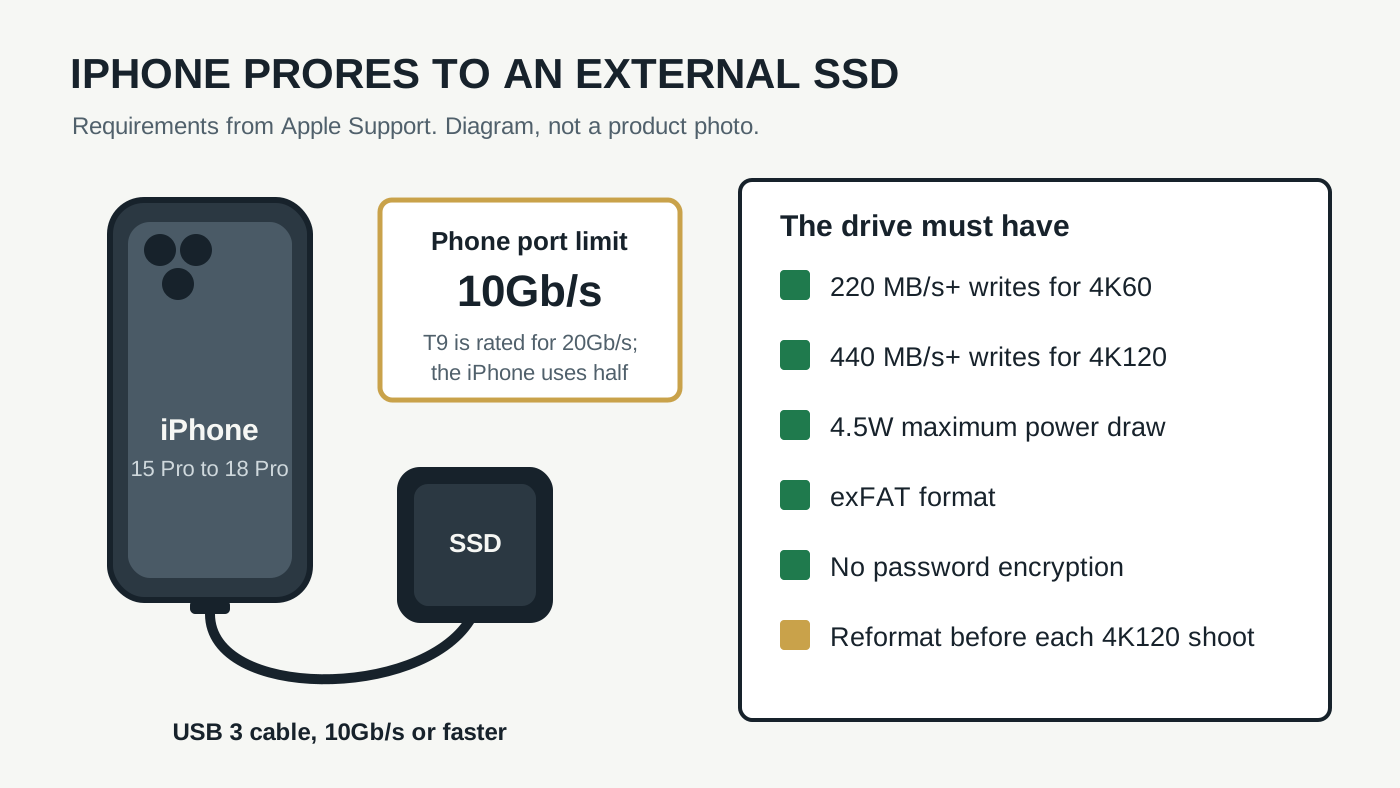
Apple's rules for the drive
Recording ProRes to an external drive works on iPhone 15 Pro and newer Pro models. Apple's ProRes support page lists the 15 Pro, 16 Pro and 17 Pro families. It hadn't added the iPhone 18 Pro when we checked, but Apple's iPhone 18 Pro spec page lists ProRes up to 4K at 120 fps with external recording.
Apple's list of drive rules is short, and every line matters:
| Rule | Apple's requirement |
|---|---|
| Write speed, 4K60 | At least 220 MB/s |
| Write speed, 4K120 | At least 440 MB/s (16 Pro and newer) |
| Power draw | 4.5W maximum |
| Format | exFAT |
| Encryption | Password-encrypted drives aren't supported |
| Cable | USB 3, at least 10Gb/s |
| 4K120 sessions | Reformat the drive before each one |
Most drive ads only talk about the first two rows. The power row is the one that trips people up, because a drive can be plenty fast and still ask for more power than the phone wants to give. Use a slow drive and Apple says you may see a Slow Recording Speed message.
Where the Samsung T9 fits
Samsung says it tested the T9 with the iPhone 15 Pro and 15 Pro Max and found ProRes recording worked without compatibility issues or performance drops. That's the maker grading its own drive, so it helps that two independent reviews say the same thing.
iCulture tested the T9 with an iPhone 15 Pro Max in early 2024. Its review says the phone picked the drive up for video storage as soon as it was plugged in. Macerkopf's T9 test describes the same setup on an iPhone 15 Pro: connect it with the included USB-C to USB-C cable, turn on ProRes in Camera settings, and the video saves to the drive.
That included cable is a nice touch. iCulture notes that Samsung puts both a USB-C and a USB-A cable in the box. Use the USB-C one. Plenty of charging cables only run at USB 2 speed, and that's far too slow for Apple's 10Gb/s cable rule.
One setting to watch: the T9 supports optional password protection. Apple doesn't support password-encrypted drives for this, so leave the password off on the drive you record to.
The 2TB T9
Paid links. Gearsentials may earn a commission from purchases.
Samsung T9 Portable SSD 2TB, ASIN B0CHFS9K14. Leave its optional password off for iPhone recording.
The speed you can't use
Here's the part the box doesn't say. The T9 is a USB 3.2 Gen 2x2 drive, rated for up to 2,000 MB/s over a 20Gb/s link. An iPhone's port is USB 3 at up to 10Gb/s, which Apple lists on the iPhone 18 Pro spec page. Half of the T9's headline speed stays in the box.
iCulture made the same point: the phone's port only handles about half of what the T9 can do, so you don't need Gen 2x2 for iPhone video. A 10Gb/s link still leaves plenty of room over Apple's 440 MB/s floor for 4K120, so the T9 isn't too slow. It's just faster than this job needs.
Where that extra speed comes back is the computer. Offloading a day of ProRes to a PC with a 20Gb/s port goes faster. Most Macs don't have that port, though. Our Samsung T9 on a MacBook guide explains why a Mac usually won't hit the 2,000 MB/s number either.
4K120 and the power limit
This is the gap in the evidence. Samsung's test and both reviews used iPhone 15 Pro models, which top out at 4K60 ProRes on an external drive. The 16 Pro and newer can record 4K120, and Apple asks for at least 440 MB/s plus the same 4.5W power cap for that.
Speed isn't the worry for the T9 at 4K120. The open question is power during a long, steady write. We didn't find a Samsung statement or an independent test that covers the T9 at 4K120 on a 16 Pro, 17 Pro or 18 Pro. That doesn't mean it fails. It means you should test it yourself before a shoot that matters.
A five-minute test before the shoot
- Turn off the drive password. If you set one up in Samsung's software, remove it first.
- Format it in the Files app. Pick exFAT. This erases the drive, so copy anything you need off it first.
- Use the USB-C cable from the box. Plug it straight into the iPhone, not through a hub.
- Record your real settings. Pick the ProRes mode, resolution and frame rate you'll use on the day. Let it run for several minutes.
- Watch for the warning. A Slow Recording Speed message means the setup isn't keeping up. For 4K120, reformat again before the real session, as Apple asks.
Also plan where the drive goes. The T9 is about 122 grams by iCulture's measure, so it's not something to dangle off the phone on a short cable while you walk.
The final decision
The Samsung T9 is a safe pick for iPhone ProRes at 4K60. Samsung and two independent reviewers saw it work on the iPhone 15 Pro with no fuss, and it clears Apple's speed rule with room to spare. It's best for someone who also wants a tough, fast drive for moving big project folders between computers, where the extra speed can pay off.
Skip it if the drive will only ever plug into your iPhone. The phone uses half its speed, so you're paying for headroom you won't touch. Any drive that meets Apple's list, with the 4.5W power cap in particular, does this job. And if 4K120 is the reason you're buying, run the five-minute test the day it arrives, while it's still easy to send back.
Either way, the drive is only one piece. The cable, the exFAT format and a password-free drive are what keep the phone from refusing to record halfway through a take.
If you'll use it beyond the phone
Paid links. Gearsentials may earn a commission from purchases.
Best for 4K60 ProRes plus fast computer transfers. Test 4K120 on your own phone before relying on it.