
eero 7 vs eero Pro 7 vs eero Max 7
Three eero 7 models can look like a simple good-better-best ladder. Your floor plan, wired gear, internet speed, and need for 6GHz can flip that order.
By Adam Anderson, Editor and CEO
This article contains paid Amazon links. Gearsentials may earn a commission from qualifying purchases. Affiliate standards.

eero 7 vs Pro 7 vs Max 7 specifications
| Decision | eero 7 | Pro 7 | Max 7 |
|---|---|---|---|
| Wi-Fi bands | 2.4GHz + 5GHz | 2.4GHz + 5GHz + 6GHz | 2.4GHz + 5GHz + 6GHz |
| Official BE class | BE5000 | BE10800 | BE20800 |
| Ethernet per node | 2× 2.5GbE | 2× 5GbE | 2× 10GbE + 2× 2.5GbE |
| Claimed wireless ceiling | Up to 1.8Gbps | Up to 3.9Gbps | Up to 4.3Gbps |
| Eero ISP guidance | Up to 2.5Gbps | Up to 5Gbps | Up to 10Gbps |
| Claimed coverage per node | Up to 2,000 sq. ft. | Up to 2,000 sq. ft. | Up to 2,500 sq. ft. |
| Claimed devices per node | 120+ | 200+ | 250+ |
| Ports left on gateway after WAN | 1 | 1 | 3 |
Those are manufacturer ceilings and planning figures, not a promise for one phone or laptop. Client hardware, channel width, ISP speed, distance, interference, walls, and whether traffic crosses a wireless satellite all change the result.
Choose the number of nodes before the model
A mesh purchase is partly a floor-plan decision. The gateway must sit near the modem or fiber ONT. A wireless satellite then needs a usable link back to that gateway while remaining close enough to serve the weak room. Putting the satellite inside the dead zone gives it little signal to repeat.
Don’t multiply the advertised square footage and assume the answer is exact. In WIRED's Pro 7 test, two nodes covered a modern home, while an older Victorian house with thicker walls needed all three. The same reviewer measured a meaningful drop one or two rooms away because 6GHz doesn’t penetrate as well as lower-frequency bands.
Start with the fewest nodes likely to cover the home. Add one at a time after testing the rooms that matter. A two-node Pro 7 system can be a better wireless design than three cheaper nodes placed too closely, while an Ethernet-wired eero 7 system can be the more rational value.
Placement rule
Put a wireless satellite between the gateway and the weak room, elevated and in the open. Don’t hide it behind a TV, inside a cabinet, on the floor, or at the very edge of the existing signal.
eero 7: best value when 6GHz isn’t the point
The standard eero 7 is a dual-band Wi-Fi 7 router. It has 2.4GHz and 5GHz radios, but no 6GHz radio. That isn’t a typo: Wi-Fi 7 adds features such as Multi-Link Operation, but the standard doesn’t require every product to include every frequency band.
Its two auto-sensing 2.5GbE ports make it a sensible gateway for internet plans below 2.5Gbps, especially when the network can use wired backhaul. It also makes sense in a smaller home that needs one centrally placed router rather than a multi-node mesh.
The limitation is clearest in a wireless mesh. Eero doesn’t reserve a dedicated backhaul band; it dynamically chooses paths. With only 2.4GHz and 5GHz available, inter-node traffic and client traffic share those radio resources. Pro 7 and Max 7 add 6GHz as another possible path for compatible devices and nearby nodes.
Reasons to skip eero 7
- You bought Wi-Fi 6E or Wi-Fi 7 devices specifically to use 6GHz.
- Multiple mesh nodes must communicate wirelessly through a busy home.
- You need more than one LAN port at the gateway without adding a switch.
- You expect a dual-band label to deliver the same capacity as Pro 7.
eero 7 value option
Paid links. Gearsentials may earn a commission from purchases.
eero Pro 7: the best overall wireless-mesh choice
Pro 7 adds the 6GHz band, 320MHz channel support, and two 5GbE ports. That combination is the useful middle ground: it improves capacity for compatible clients and gives a wireless mesh a third band to work with, without requiring Max 7's 10GbE network.
Buy it when two or three nodes will connect wirelessly, when the household already owns 6GHz-capable devices, or when a 2.5GbE port would bottleneck a wired multi-gigabit connection. Don’t buy it merely because the product name says Pro. A wired eero 7 network can still be the better use of money.
Independent testing supports the broad hierarchy but also shows the limits. RTINGS found Pro 7 clearly faster than eero 7 and rated its range very good, while noting slightly weaker 5GHz range than expected. WIRED found stable performance and simple setup, but called out the subscription and the two-port design.

Reasons to skip Pro 7
- A single eero 7 already covers the home and the clients use 5GHz.
- Ethernet already connects every planned mesh node.
- You need several wired devices at the gateway and don’t want a switch.
- You want detailed manual radio controls rather than an app-managed system.
eero Pro 7 overall pick
Paid links. Gearsentials may earn a commission from purchases.
eero Max 7: buy it for ports and 10GbE, not the name
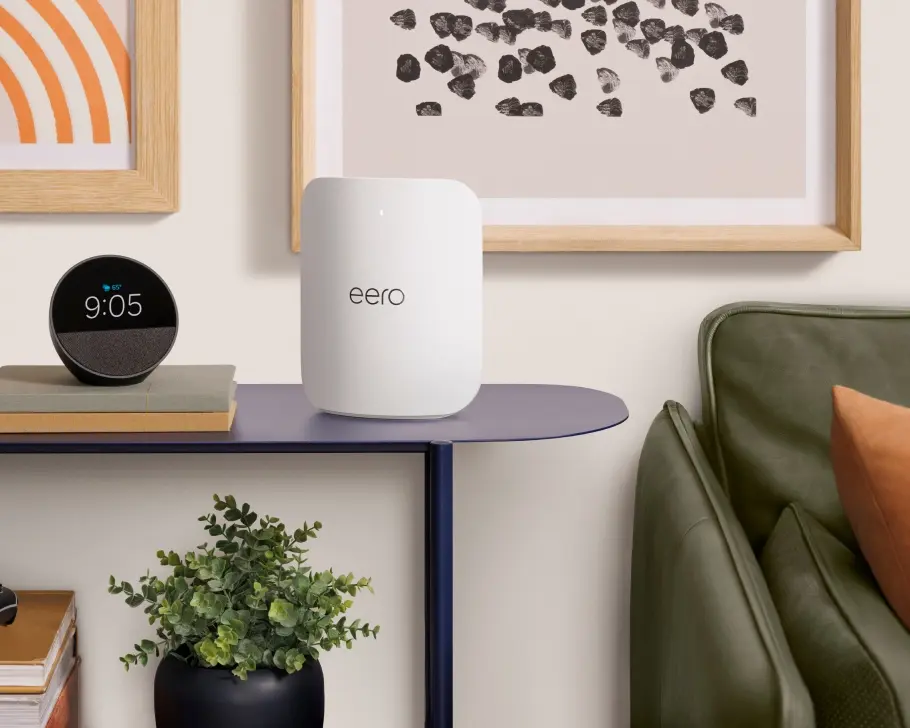
Max 7 is the hardware specialist. Each node has two 10GbE ports and two 2.5GbE ports. After one port accepts the WAN connection, a gateway can still connect three wired devices or a mix of backhaul, switch, computer, and network storage without an immediate add-on switch.
It also carries stronger 2×4×4 radios and eero's largest per-node coverage and device-count claims in this comparison. RTINGS found it faster, longer-ranging, and better equipped than Pro 7. That proves it’s the stronger router; it doesn’t prove the average household will benefit from paying for it.
Choose Max 7 when the home has a 5Gbps or 10Gbps internet path, multi-gigabit local transfers, several wired devices, or a floor plan where fewer stronger nodes are preferable. Pro 7 is the cleaner choice when the job is simply reliable wireless mesh.
Reasons to skip Max 7
- Your modem, ONT, switch, and computers don’t have a multi-gigabit path.
- The internet plan is below 5Gbps and local 10GbE transfers aren’t a goal.
- Two Pro 7 nodes solve the floor plan more effectively than one expensive router.
- You’re paying for a headline wireless ceiling that no current client can consume alone.
eero Max 7 10GbE option
Paid links. Gearsentials may earn a commission from purchases.
The Ethernet-port math changes the purchase
The gateway uses one auto-sensing port for the incoming internet connection. That leaves one port on eero 7 or Pro 7. If that remaining port feeds wired backhaul, no port remains for a game console, desktop, television, or network-storage device unless you add a compatible Ethernet switch.
Max 7 leaves three ports after WAN. That’s its clearest everyday advantage. Still, a switch can be a less expensive solution than buying Max 7 solely for port count. Match switch speed to the slowest bottleneck you’re trying to remove; a 10GbE router does not make a 1GbE switch or computer run at 10Gbps.
Check the modem, ONT, and existing router before buying
Eero replaces the router, not the modem or fiber ONT. The first eero becomes the gateway and plugs into that internet handoff. When an ISP supplies a combined modem/router, eero recommends bridging the ISP device when the provider supports it so eero can manage the network without a second routing layer.
Eero can also operate in bridge mode behind an existing router, but that removes Profiles, device blocking, historical usage, several network settings, Thread, and most eero Plus network features. If those features matter, bridge the provider's gateway rather than the eeros when the provider allows it.
Don’t ignore the app and subscription model
All three models use the eero app for setup and management. The appeal is simplicity: automatic channel selection, band and client steering, guest access, profiles, device pausing and blocking, network health checks, and automatic updates require less manual work than a traditional enthusiast router.
That same design is a poor fit for buyers who want separate band names, extensive radio tuning, a full browser-based console, or granular local control. Eero Plus is optional for basic Wi-Fi, but eero places advanced filtering, ad blocking, activity history, additional security tools, and bundled partner services in the subscription. Decide whether the free controls are enough before buying the hardware.
Six checks before choosing a pack size
- Map the weak rooms: test the rooms where video calls, streaming, gaming, or cameras actually fail.
- Find the fixed gateway location: note where the modem or ONT enters the home and whether it can be moved.
- Identify the walls: masonry, plaster, metal, mirrors, appliances, and multiple floors can matter more than the square-foot total.
- Choose the backhaul: use Ethernet where it exists; otherwise leave a strong wireless path between nodes.
- Count wired connections: include WAN, backhaul, switches, computers, consoles, televisions, and storage.
- Name the fastest real device: verify its Wi-Fi band, Ethernet port, and channel support before paying for a larger router class.
Who should skip all three?
Skip eero when detailed manual network control is the goal, when you refuse a subscription for advanced household filtering, or when the router must provide USB network storage. Also keep the current router when its coverage, stability, and wired speed already solve the home's problems. Wi-Fi 7 on the box doesn’t create a useful upgrade by itself.
Buyers comparing pure performance should also look beyond eero. RTINGS found less expensive competitors that outperform eero 7 and Pro 7 in parts of its test suite, while WIRED preferred a competing Orbi system for range and port count. Eero's strongest case is a simple, compatible, app-managed mesh—not maximum control or maximum performance per dollar.
The verdict
eero 7 keeps the bill sane.It's the rational choice for a single-node home, Ethernet-connected mesh, or a network that doesn’t need 6GHz. Its two 2.5GbE ports are already more than many sub-gigabit homes can use.
eero Pro 7 is the wireless-mesh default. The extra 6GHz band and 5GbE ports make it the most balanced choice when nodes will communicate wirelessly or the household owns newer 6GHz clients.
eero Max 7 needs a network worthy of it. Its four-port layout, 10GbE, stronger radios, and larger coverage target are useful when the rest of the network can use them. For everyone else, Pro 7 is the cleaner ceiling. Paying for 10GbE while the rest of the house tops out at 1Gbps is just expensive optimism.
Compare the exact one-pack offers
Paid links. Gearsentials may earn a commission from purchases.
FAQ
Does eero 7 have a 6GHz band?
No. The standard eero 7 is a dual-band Wi-Fi 7 router using 2.4GHz and 5GHz. The eero Pro 7 and eero Max 7 add 6GHz. Wi-Fi 7 describes the wireless generation; it doesn’t guarantee that every Wi-Fi 7 router has all three bands.
Does eero replace my modem?
No. Eero replaces the router. The gateway eero connects to the modem or fiber ONT supplied for the internet connection. If the provider supplied a combined modem/router, eero recommends bridging that device when the provider supports it.
Can I mix eero 7, Pro 7, Max 7, and older eeros?
Yes. Eero documents backward compatibility across its generations. Each node still operates within its own radio and port limits, so adding an older or slower node doesn’t turn it into a Pro 7 or Max 7.
Is eero Plus required?
No. Basic setup, guest Wi-Fi, profiles, device blocking and pausing, WPA3, automatic updates, and network health tools are available without Plus. Eero reserves features such as advanced content filtering, ad blocking, activity history, some security tools, and bundled partner services for the optional subscription.
Should I use wired backhaul with eero?
Use Ethernet between nodes when the home already has suitable cabling or it can be added cleanly. Wired backhaul gives inter-node traffic a predictable path and leaves more wireless capacity for client devices. A wireless mesh can still work well, but walls, distance, and interference matter more.
How many eero nodes should I buy?
Start with the smallest number that covers the actual floor plan. Eero's square-foot figures are planning estimates, not a guarantee through dense masonry, metal, mirrors, cabinets, or multiple floors. Put a wireless node between the gateway and the weak room, not inside the dead zone itself.
Sources
- eero 7 product specifications
- eero Pro 7 product specifications
- eero Max 7 product specifications
- eero hardware and compliance specifications
- Amazon eero 7 and Pro 7 launch announcement
- eero router and bridge-mode guidance
- eero bridge-mode feature limitations
- eero Plus and included-feature comparison
- RTINGS eero 7 test
- RTINGS eero Pro 7 test
- RTINGS eero Max 7 test
- WIRED eero Pro 7 multi-home test