
TP-Link Deco 7 BE25 vs eero 7: which Wi-Fi 7 mesh should you buy?
These two mesh kits skip 6GHz and aim at the same kind of home. Wiring, free controls, app design, smart-home links, and your floor plan will decide more than the Wi-Fi 7 logo.
By Adam Anderson, Editor and CEO
This article contains paid Amazon links. Gearsentials may earn a commission from qualifying purchases. Affiliate standards.
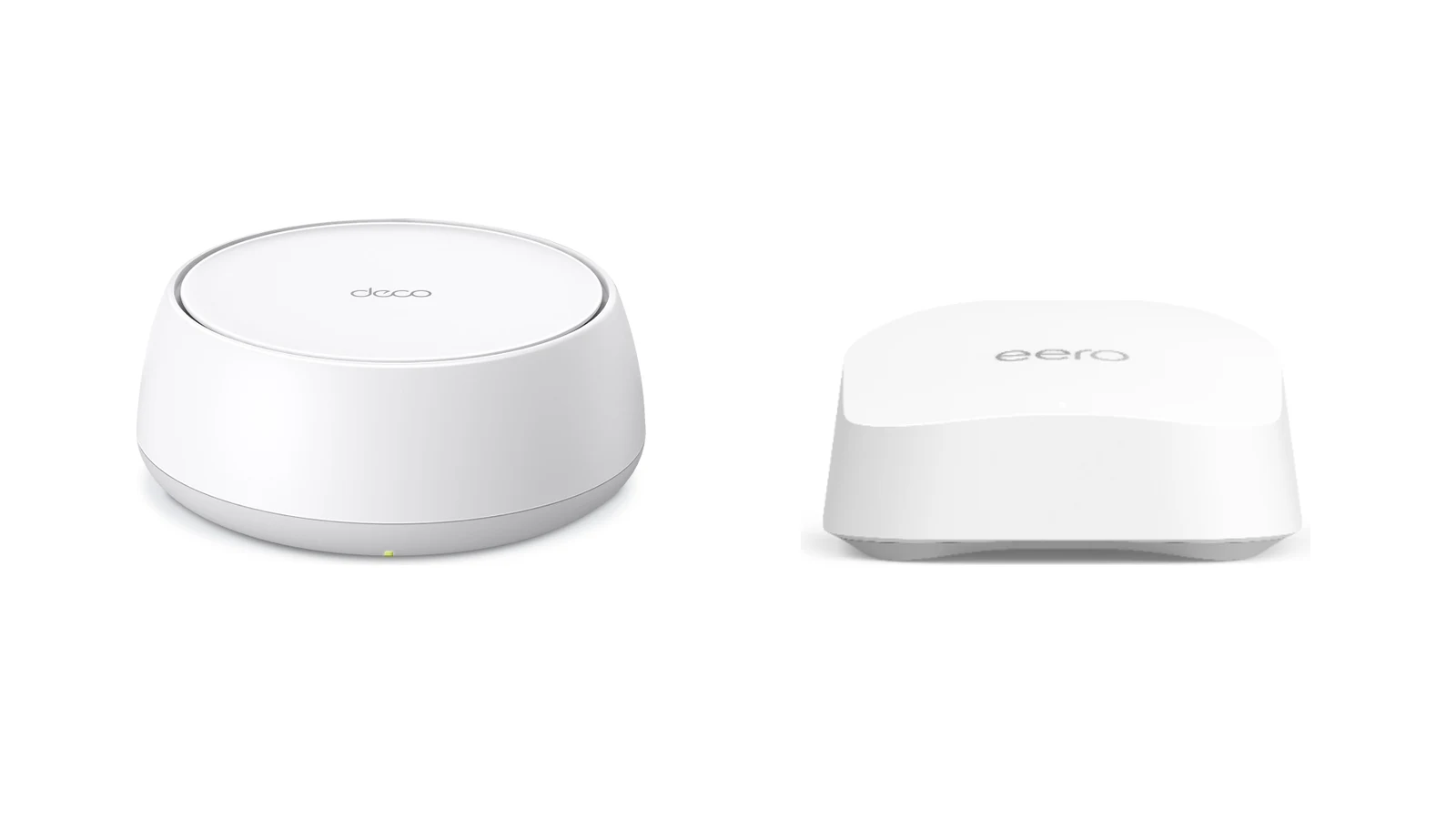
First, verify the exact model
This article covers the current US TP-Link Deco 7 BE25 BE5000 and the standard eero 7. It does not cover Deco BE23, an older or regional BE3600 presentation, eero Pro 7, or eero Max 7.
TP-Link's own pages are inconsistent. Its exact US V1 datasheet lists 4,324Mbps on 5GHz, 688Mbps on 2.4GHz, and up to 240MHz on 5GHz. TP-Link's current marketing table separately and inconsistently refers to six streams and a 320MHz channel. We use the exact US datasheet as the controlling source. Check the box and hardware label after delivery, then update firmware before judging available controls.
| Decision | Deco 7 BE25 | eero 7 | Buying consequence |
|---|---|---|---|
| Wi-Fi bands | Dual-band 2.4GHz and 5GHz | Dual-band 2.4GHz and 5GHz | Neither system has a 6GHz radio. |
| Published class | BE5000 | BE5000 | The shared class label isn’t a measured speed result. |
| 5GHz channel width | Exact US V1 datasheet: up to 240MHz | Up to 240MHz | The client, region, interference, and firmware still decide what is usable. |
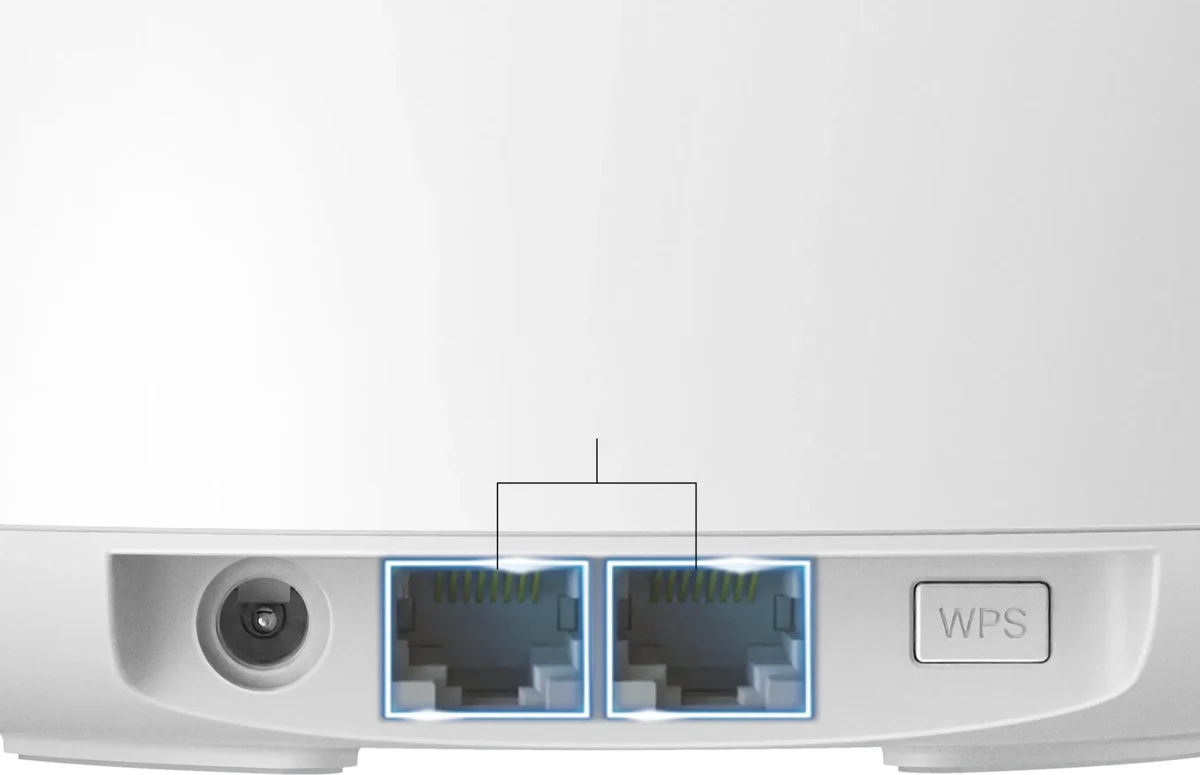
| Ethernet per node | 2× auto-sensing 2.5GbE | 2× auto-sensing 2.5GbE | A gateway WAN connection plus Ethernet backhaul can consume both ports. |
| Management | Deco app; router or access-point mode | eero app; router or bridge mode | Both are app-first. Access-point and bridge modes remove router-level features. |
| Control style | More exposed network controls and a broader free HomeShield tier in router mode | More automated; advanced filtering, app/site controls, and security sit in eero Plus | Choose the management model you’ll actually maintain. |
| Smart-home role | Wi-Fi onboarding and IoT-network controls | Zigbee-compatible hub, Thread border router, and Matter controller | Eero replaces more dedicated smart-home hub functions. |
| Published warranty | Two years | Three years | Eero publishes the longer hardware warranty. |
Don’t compare Deco's published radio link rates with eero's separately worded wireless-throughput claim as though they came from one lab. Neither number predicts a specific room, phone, internet plan, or neighboring-network environment.
The wiring plan decides more than the brand
Backhaul is the connection between mesh nodes. With Ethernet backhaul, client traffic doesn’t need to share the same wireless path between nodes. Without Ethernet, wireless backhaul shares radio airtime—and commonly 5GHz capacity—with client traffic, so placement and congestion matter more.
| Home topology | Better starting point | Why | What can still go wrong |
|---|---|---|---|
| Ethernet reaches the node locations | Deco 7 BE25 | Wired backhaul substantially reduces the main dual-band wireless-backhaul penalty, leaving Deco's controls and value as stronger differentiators. | Plan for a switch when the gateway also needs local wired devices. |
| Nodes must connect wirelessly through several rooms | eero 7 | Independent testing gives eero a modest long-range and congested-workload edge. | Wireless backhaul still shares radio airtime—and commonly 5GHz capacity—with client traffic. |
| One central router already reaches most rooms | Compare one-packs first | A second node may add cost and interference without fixing a measured weak area. | The modem location may still force the gateway into a poor position. |
| 6GHz or the strongest wireless backhaul is the goal | Neither | Both products are dual-band systems without 6GHz. | Compare tri-band Wi-Fi 7 systems and verify the exact radio layout. |
Two-port gateway worksheet
- 1. Use one gateway port for the modem or fiber ONT.
- 2. If the second port feeds Ethernet backhaul, both gateway ports are occupied.
- 3. Add a switch for a wired computer, NAS, television, or multiple Ethernet runs.
- 4. Buy a 2.5GbE switch only when the clients, cabling, and local traffic can use more than gigabit speed.
TP-Link documents Ethernet backhaul and makes supported-model combined backhaul claims. Its general guidance also says the wireless backhaul normally disconnects when Ethernet activates unless the exact model supports aggregation. Treat aggregation as a model-and-firmware capability, not a guaranteed speed multiplier.
Choose the two-node topology
Paid links. Gearsentials may earn a commission from purchases.
Both linked systems have two 2.5GbE ports per node. Budget for a switch if the gateway must serve the modem, wired backhaul, and local Ethernet devices.
Best for: Deco with Ethernet between nodes; eero as the wireless-mesh starting point when its modest tested edge, simpler management, or smart-home role justifies the premium. Skip if: You haven’t mapped the modem location, weak room, and possible node placement yet.
Buy the smallest pack that solves the measured layout
Manufacturer square-foot figures are planning estimates, not comparable lab results. Before choosing a pack, record the number of floors, modem location, dense walls, masonry, metal, mirrors, cabinets, and the exact rooms where a real device or workload fails.
| Pack size | Start here when | Placement rule |
|---|---|---|
| One-pack | A smaller home, apartment, or central-router layout with no measured distant dead zone | Put it in the open near the center of use, not inside a cabinet. |
| Two-pack | One measured weak zone, another floor, or an elongated layout | Place the satellite between the gateway and weak room, not inside the dead zone. |
| Three-pack | A large or difficult layout with two distinct weak zones after placement is mapped | Avoid clustering nodes; too much overlap can add contention rather than speed. |
Six questions before buying a second node
- 1. Where is the modem or ONT fixed?
- 2. Which room is weak, and which device or task fails there?
- 3. Does Wi-Fi work well near the current router?
- 4. What walls and floors sit between the gateway and weak room?
- 5. Can Ethernet reach an intermediate open location?
- 6. Can one better-placed node cover the home before a second is added?
Start with one node when the layout allows it
Paid links. Gearsentials may earn a commission from purchases.
These are the exact one-pack offers. Add a second node only after the floor plan and weak zone justify it; more mesh nodes aren’t automatically faster.
Best for: A central-router apartment or smaller home, or a buyer replacing one router before expanding. Skip if: The modem sits at one end of a multi-floor or masonry-heavy home with a known distant dead zone.
Check whether Wi-Fi 7 changes the problem
A Wi-Fi 7 logo doesn’t guarantee a useful upgrade. The internet plan, client radios, node placement, backhaul, and interference still control the result. Use this check before paying for a new mesh solely because the generation number increased.
| Question | If yes | If no |
|---|---|---|
| Does the current network fail by distance rather than ISP speed? | Mesh placement may help. | A faster internet plan or better client may matter more. |
| Can the nodes use Ethernet backhaul? | These dual-band systems become more attractive. | A tri-band model may justify its higher cost. |
| Do important clients support Wi-Fi 7, MLO, or 240MHz channels? | Some newer radio features may be usable. | Expect compatible Wi-Fi, not the headline link rate. |
| Is 6GHz the desired upgrade? | Skip both products. | Keep comparing topology, controls, and ownership cost. |
| Do wired local devices need more than 1Gbps? | Budget for suitable cabling and a 2.5GbE switch. | An ordinary gigabit switch may be enough. |
Compare the free tier before the subscription
Deco's documented free HomeShield tier includes profiles, age templates, pause, URL filtering, site blocking, bedtime, device QoS, basic insights, network scans, IoT identification, and device isolation. TP-Link sells separate advanced parental controls and Security+ subscriptions.
Eero's free tier includes profiles, scheduled and manual device pauses, device blocking, guest Wi-Fi, WPA3, automatic updates, and network-health tools. Eero Plus adds content filters, app and site blocking, activity history, threat protection, ad blocking, DDNS, hotspot backup, and partner services.
The TP-Link rates below were checked August 2, 2026. Eero's public Plus pages and purchase flows can present different renewal rates, so the amount shown in the buyer's account or checkout is the controlling number. These are ownership-cost inputs, not reasons to subscribe.
| Optional service | Published annual rate | Three-year arithmetic | What it adds |
|---|---|---|---|
| eero Plus annual | Check the current account or checkout offer | Current annual renewal × 3 | Content filters, app and site blocking, activity history, threat protection, ad blocking, DDNS, hotspot backup, and partner services |
| HomeShield Advanced Parental Controls | $17.99 | $53.97 | Advanced parental controls beyond the documented free tier |
| HomeShield Security+ | $35.99 | $107.97 | Expanded network-security features |
| Advanced Parental Controls + Security+ | $53.98 | $161.94 | The two annual HomeShield services added together |
| HomeShield Total Security package | $69.99 first year; $129.99 renewal | $329.97 at the published introductory and renewal rates | TP-Link's bundled security package; confirm current inclusions and renewal terms |
If free profiles, pausing, guest access, and updates solve the household's needs, use the free tier. If paid filtering or security is necessary, add three years of the exact service to the hardware comparison rather than treating the router price as the total cost.
Eero provides the broader built-in smart-home hub
Eero 7 is a Zigbee-compatible smart-home hub, Thread border router, and Matter controller. That can simplify a home already built around compatible Alexa, Thread, Matter, or Zigbee devices. Confirm the exact accessory and ecosystem before assuming the router replaces every vendor bridge.
TP-Link lists the Deco BE25 as Matter-certified and promotes Tapo and Kasa onboarding through the Deco app. Deco also provides an IoT network, device identification, and isolation controls. Its specifications don’t establish Zigbee or Thread radios, so don’t present it as a Thread border router or a Zigbee-hub replacement.
Bridge and access-point modes aren’t equal
Deco can operate in router or access-point mode, but access-point mode removes HomeShield, parental controls, QoS, VPN, DHCP, port forwarding, and other router-level functions. In router mode, wired satellites also need to remain downstream of the main Deco; access-point mode allows a more flexible upstream-router topology.
Eero can operate in router or bridge mode, but eero documents an even broader set of bridge-mode losses: Profiles, device blocking, SQM, Thread, custom DNS, upstream IPv6, and all network-level Plus features. Only the standalone Malwarebytes, 1Password, and Guardian VPN partner services remain. One wired gateway eero is still required. If an ISP gateway, advanced firewall, or another router must stay in charge, compare the exact features that remain before choosing the mesh.
Mixed generations work, but they keep their limits
Both brands let you mix supported generations inside their own ecosystem. An older node still has its original radios, Ethernet ports, and feature ceiling. It can extend coverage, but it does not become Wi-Fi 7 hardware or gain 2.5GbE because the gateway is newer. TP-Link and eero nodes don’t form one cross-brand mesh.
Independent tests don’t produce one universal speed winner
RTINGS found the exact systems similar overall, with eero 7 slightly faster at long distance. Tom's Hardware found Deco faster in one uncongested 25-foot result on its shared testbed, while eero retained materially more throughput under a simulated six-client streaming load.
Dong Knows Tech reported strong close-range Deco performance but a substantial wireless-satellite penalty in its environment. TechGearLab also measured much lower eero extension-node results than gateway results. Different homes, clients, firmware, channel conditions, and workloads explain why one headline number should not decide the purchase.
Who should buy the Deco 7 BE25?
- Ethernet reaches the planned node locations.
- You plan to use router mode and want HomeShield, parental controls, QoS, or VPN.
- Or you plan to use access-point mode and accept that those router-level functions are unavailable.
- Two 2.5GbE ports per node are enough after any required switch is added.
- You’ll verify the current US BE5000 model rather than an older or regional variation.
Who should buy eero 7?
- The nodes must connect wirelessly through multiple rooms.
- Simple automated management is more useful than manual radio controls.
- A Zigbee-compatible hub, Thread border router, or Matter controller adds value.
- You accept the optional subscription boundary for advanced filters and security.
- You don’t need 6GHz or the extra radios of a higher-tier mesh.
Who should skip both?
- You’re specifically upgrading for 6GHz clients.
- You need the strongest wireless backhaul across a large, difficult home.
- You expect multi-gigabit wireless throughput to one client.
- You want more than two Ethernet ports per node without adding a switch.
- You need advanced local administration through a normal desktop web interface.
- Your current problem is a slow ISP plan rather than weak Wi-Fi coverage.
The final recommendation
Deco 7 BE25 makes the most sense when a wired mesh turns the decision into a value-and-router-controls comparison. Eero 7 is the safer starting point for a fully wireless mesh when its modest long-range or congested-load edge, simpler management, or Amazon smart-home integration justifies the premium. Don’t buy either because BE5000 or Wi-Fi 7 sounds fast in isolation. A badge can’t rescue a weak node placement.
Start with the smallest pack justified by the floor plan. Check the two-port gateway budget, add any switch and subscription to the real ownership cost, and move up to a tri-band system when 6GHz or stronger wireless backhaul is the actual requirement.
Check the exact two-pack recommendation
Paid links. Gearsentials may earn a commission from purchases.
Confirm Deco 7 BE25 BE5000 or standard eero 7, the two-pack quantity, new condition, seller, and shipper before ordering. Prices and availability can change.
Best for: Deco for wired backhaul and router-mode controls; eero as a wireless-mesh starting point when its modest tested edge, simpler management, or Amazon smart-home integration justifies the premium. Skip if: A one-pack covers the home, or the purchase requirement is 6GHz or tri-band wireless backhaul.
FAQ
Does the TP-Link Deco 7 BE25 have 6GHz?
No. The exact current US Deco 7 BE25 BE5000 is a dual-band system using 2.4GHz and 5GHz. Its Wi-Fi 7 label doesn’t mean it has every optional Wi-Fi 7 band or feature.
Does eero 7 have 6GHz?
No. Eero 7 is also a dual-band 2.4GHz and 5GHz system. Buyers who need 6GHz should compare a tri-band model such as eero Pro 7 or another exact tri-band Wi-Fi 7 system.
Which is better for wireless backhaul?
Eero 7 is the safer starting point when two or more nodes must communicate wirelessly through several rooms. Independent tests found a modest long-range or congested-workload advantage in some environments, but wireless backhaul on both products still shares radio airtime—and commonly 5GHz capacity—with client traffic.
Which is better with Ethernet backhaul?
Deco 7 BE25 is our default pick when Ethernet reaches the node locations. Wired backhaul reduces the main dual-band mesh limitation, and Deco then offers more exposed controls and a stronger free feature set. Either system can use Ethernet backhaul.
Do I need a network switch with either mesh system?
Possibly. Each node has two 2.5GbE ports. On the gateway, one port connects to the modem or fiber ONT. If the other feeds Ethernet backhaul, no gateway port remains for a wired computer, NAS, or extra Ethernet runs, so add a switch.
Is eero Plus required?
No. Eero provides setup, guest Wi-Fi, profiles, scheduled and manual device pauses, device blocking, WPA3, automatic updates, and network-health tools without Plus. Content filters, app and site blocking, activity history, and several security and partner features require the optional subscription.
Can Deco 7 BE25 and eero 7 work with older nodes?
Each brand supports mixed generations within its own ecosystem, but an older node retains its own radio, Ethernet, and feature limits. Mixing brands doesn’t create one mesh, and adding an older node doesn’t turn it into Wi-Fi 7 hardware.
How many mesh nodes should I buy?
Start with the smallest pack that covers the measured floor plan. Record the modem location, wall materials, floors, weak rooms, and Ethernet options first. A wireless satellite belongs between the gateway and weak room, not inside the dead zone.
Sources
- TP-Link Deco 7 BE25 current US product page
- TP-Link Deco BE25 exact US V1 datasheet
- TP-Link Deco BE25 support and firmware page
- TP-Link Deco management and compatibility FAQ
- TP-Link Ethernet-backhaul guide
- TP-Link Deco access-point mode limitations
- TP-Link HomeShield pricing
- TP-Link warranty policy
- TP-Link Matter product list
- eero 7 product page
- eero 7 detailed specifications
- eero Wi-Fi 7 and mixed-generation guidance
- eero bridge-mode limitations
- eero Profiles and scheduled pauses
- eero product compliance and smart-home radios
- eero Plus features and current offer
- RTINGS exact Deco BE25 and eero 7 comparison
- Tom's Hardware eero 7 review and comparative test context
- Dong Knows Tech Deco BE25 review
- TechGearLab eero 7 review