
XREAL 1S vs VITURE Beast vs RayNeo Air 4 Pro
These display glasses all promise a big screen you can carry. The phone, handheld, or computer driving them—and the adapters it needs—can change the answer before display specs do.
By Adam Anderson, Editor and CEO
This article contains paid Amazon links. Gearsentials may earn a commission from qualifying purchases. Affiliate standards.
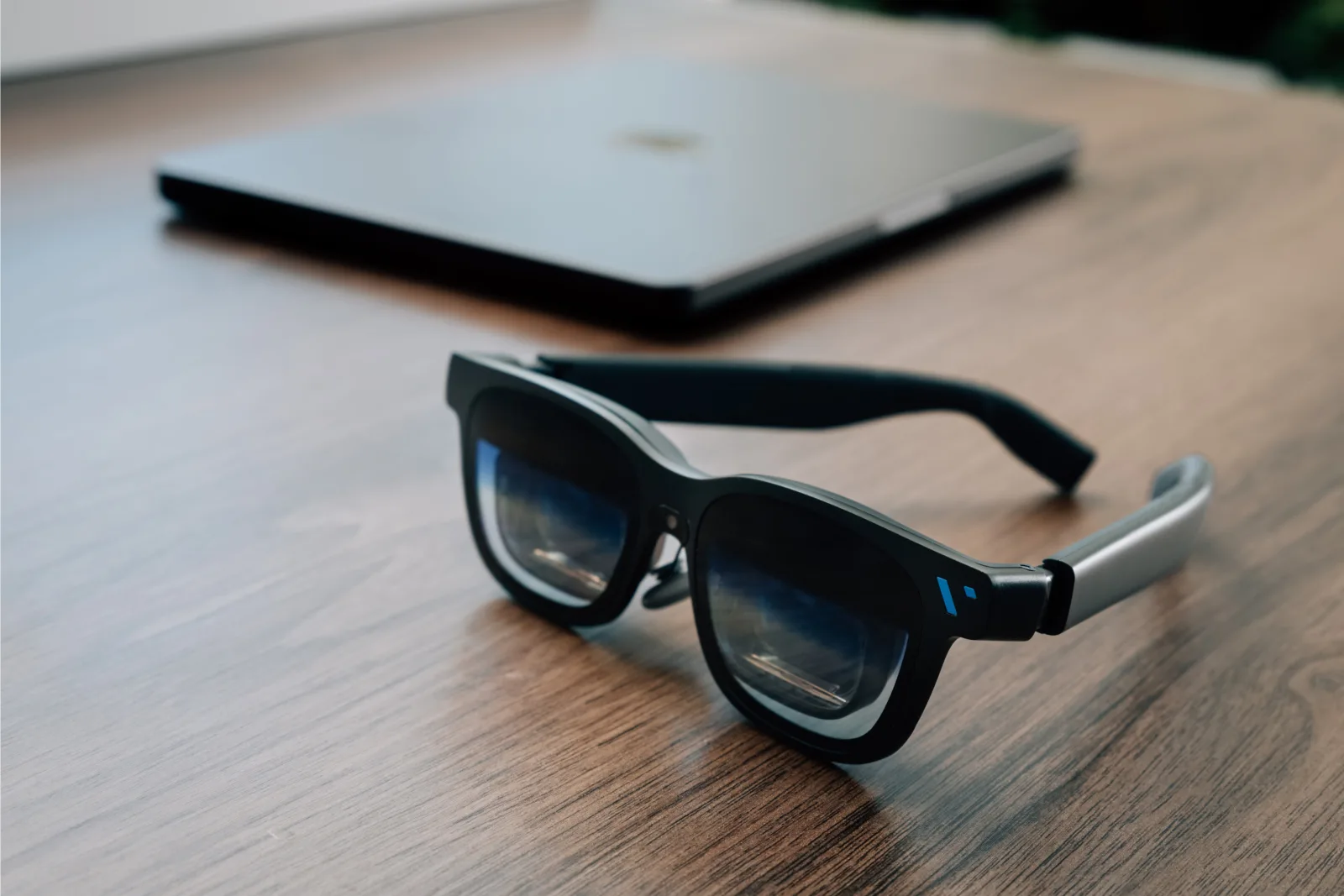
First check: what will drive the glasses?
These products look like sunglasses, but the buying logic is closer to choosing a portable monitor. They need a video source and power. For a one-cable connection, the host's USB-C port must carry DisplayPort video. A port that only charges or moves files won’t produce a picture.
That makes the full setup more important than the glasses alone. A compatible laptop or Steam Deck can be simple. A Switch needs a powered accessory. A PS5 or Xbox starts with HDMI and needs a powered conversion path. Phones and handhelds may also need charging passthrough if the glasses occupy their only USB-C port.
| Host | What to verify before buying |
|---|---|
| USB-C laptop or handheld PC | Direct when the port carries DisplayPort video; the host supplies power. |
| USB-C phone | Direct only with video output. Confirm the exact model; USB-C alone proves nothing. |
| iPhone 16e or iPhone Air | Don’t assume support. VITURE explicitly excludes these models from its direct-video path. |
| Pixel 8 or 9 | Basic display and app features differ. RayNeo says display works without its app; VITURE says its 3D mode lacks the required resolution. |
| Nintendo Switch | Use a brand-compatible powered adapter or dock. XREAL documents its Hub; RayNeo calls for JoyDock. |
| Nintendo Switch 2 | Recheck the current brand-specific path. Don’t reuse original-Switch instructions by assumption; XREAL documentation is currently conflicted. |
| PS5 or Xbox | Use a powered HDMI-to-USB-C video conversion path. A console USB port isn’t a display output. |
Before comparing live prices, list the glasses, adapter or dock, power brick, and charging-passthrough accessory needed for your exact host. The model with the lowest sticker price can create the most expensive and cable-heavy final setup.
Compare the verified offers
Paid links. Gearsentials may earn a commission from purchases.
The specifications that actually separate them
| Model | Resolution | Listed FOV | Listed weight | Native anchoring | Prescription path |
|---|---|---|---|---|---|
| XREAL 1S | 1920×1200 per eye | 52° | 82g | Anchor and Follow | Insert sold separately |
| VITURE Beast | 1920×1200 per eye | 58° | 88g | Anchor and Smooth Follow | Frame included; lenses extra |
| RayNeo Air 4 Pro | 1920×1080 per eye | 46°* | 76g without nose pads | Not documented | Sample frame included; lenses extra |
*RayNeo's current product page and FOV explainer say 46°; its comparison table still says 47°. Brightness and advertised virtual-screen sizes are omitted because brands use different conditions and those claims don’t compare cleanly.
Why native 3DoF matters more than a giant-screen claim
A head-locked display moves with your face. A three-degrees-of- freedom, or 3DoF, mode tracks rotation so the image can remain in a chosen direction. That difference matters when you want to look away from a document, keep a screen off to one side, or reduce the feeling that an image is attached to your head.
XREAL documents Anchor and Follow modes directly on the 1S. The VITURE Beast documents Anchor and Smooth Follow through its built-in VisionPair system. RayNeo doesn’t currently document native first-party 3DoF on the Air 4 Pro. Its 3D media features aren’t proof that it can pin a normal 2D screen in space.
Choose XREAL 1S for the safest anchoring default
XREAL 1S is the clearest starting point when built-in screen behavior is the main reason you’re buying. XREAL lists a 52° field of view, 1920×1200 per eye, 82g weight, and up to 120Hz. Its Anchor and Follow modes work at the glasses level, while ultrawide behavior still depends on a compatible computer and operating setup.
It isn’t automatically the easiest console purchase. XREAL's current original-Switch material points to the powered XREAL Hub, while its Switch 2 accessory story remains muddy after the Neo accessory was canceled or indefinitely delayed. Buy for a known USB-C DisplayPort host first; verify any console path separately.
XREAL 1S buying option
Paid links. Gearsentials may earn a commission from purchases.
Choose VITURE Beast for the widest documented view
VITURE publishes the largest field of view here at 58°, along with 1920×1200 per eye, up to 120Hz, 88g weight, nine-level dynamic tint, and built-in Anchor and Smooth Follow behavior. It also comes in Regular and Large sizes, which gives buyers a more explicit IPD decision than one universal frame.
The tradeoffs are weight, fit complexity, and software wording. VITURE's own model guide says the Beast's single-camera design doesn’t provide a truly usable 6DoF experience, so 6DoF should not be the reason to buy it. The front RGB camera supports specific spatial and SpaceWalker functions; it doesn’t make the Beast a standalone camera or AI-glasses product.
VITURE Beast Regular buying option
Paid links. Gearsentials may earn a commission from purchases.
Choose RayNeo Air 4 Pro for a media-first setup
RayNeo lists the lowest weight in this comparison at 76g without nose pads. It also promotes HDR10 support, Vision 4000 processing, B&O-tuned audio, up to 120Hz, and a 46° field of view. Those features make it the specification-led media choice when a lighter frame and movie or game presentation matter more than a pinned productivity screen.
The important limitation is native anchoring: RayNeo doesn’t currently document it for this exact model. Its 1920×1080-per-eye panel also has fewer vertical pixels than the 1200p-per-eye XREAL and VITURE models. That’s a concrete distinction; claims about sharpness, audio quality, HDR impact, or long-session comfort would require hands-on testing.
RayNeo Air 4 Pro buying option
Paid links. Gearsentials may earn a commission from purchases.
Prescription lenses and fit can veto the spec winner
None of these models has built-in diopter adjustment. XREAL sells a dedicated prescription insert separately. VITURE includes its frame but treats custom lenses as a separate purchase. RayNeo includes a sample frame and directs buyers to a lens partner for the finished prescription.
VITURE publishes two size ranges: Regular at 58–70mm IPD and Large at 62–74mm. If your IPD sits in the overlap, VITURE advises choosing the size whose center is closer to your measurement. For every brand, verify the return window before adding custom lenses. A promising display specification can’t rescue a frame that won’t let both eyes see the full image.
Gaming, movies, and work need different priorities
For Steam Deck and handheld PCs
Direct USB-C video makes all three plausible. The harder question is whether you can charge the handheld while playing. Add the required charging adapter to the total setup and cable count, then confirm it passes enough power for the exact handheld.
For Switch, Switch 2, PS5, and Xbox
Budget for an accessory path from the beginning. Don’t assume Switch 2 uses the original Switch instructions. For HDMI consoles, confirm the converter accepts HDMI, injects power, and outputs USB-C video to display glasses; a generic USB-C cable isn’t a converter.
For movies and travel
Listed weight, tint control, host battery drain, and cable clutter can matter more than a brand's simulated screen-size number. HDR, 3D conversion, and streaming-app behavior depend on the host, content, DRM, and app path. Treat them as system features, not permanent properties of the glasses alone.
For text and portable work
Favor native anchoring and vertical resolution, then confirm that the computer can drive the intended display or ultrawide mode. XREAL and VITURE document the stronger native positioning story. Real text clarity, edge blur, drift, and comfort are fit-sensitive and can’t be ranked responsibly from manufacturer specifications.
The verdict
XREAL 1S is the starting point for native anchoring without moving to the heaviest option. VITURE Beast earns its name—and extra weight—through the wider documented field of view, two size choices, and tint system. RayNeo Air 4 Pro is the media-first pick when lower listed weight matters more than native screen anchoring.
Then run the decision a second time using the full connection path. If your phone can’t output video, your console needs two extra boxes, or your prescription and IPD don’t fit, the apparent winner isn’t your winner. That compatibility check is more valuable than any advertised 174-, 201-, or 500-inch screen.
Check the three exact models
Paid links. Gearsentials may earn a commission from purchases.
FAQ
Are XREAL 1S, VITURE Beast, and RayNeo Air 4 Pro standalone smart glasses?
No. They are tethered display glasses. A compatible phone, computer, handheld, console adapter, or companion device supplies the picture and power. VITURE Beast has a front RGB camera for specific spatial and SpaceWalker functions, but it isn’t a standalone camera or AI-glasses platform.
Which of these XR glasses can pin the screen in place without an app?
XREAL documents built-in Anchor and Follow modes on the 1S. VITURE documents built-in Anchor and Smooth Follow behavior on the Beast. RayNeo doesn’t currently document native first-party 3DoF anchoring on the Air 4 Pro, so buy it expecting a head-locked display unless RayNeo publishes a model-specific update.
Will these display glasses work from any USB-C port?
No. Direct connection requires a USB-C port that carries DisplayPort video, usually described as DisplayPort Alt Mode or USB4/Thunderbolt video support. A charge-only or data-only USB-C port isn’t enough.
Do these XR glasses work with Nintendo Switch 2, PS5, or Xbox?
They need more than a direct cable. Switch and Switch 2 require a compatible powered dock or adapter, and the correct path can differ between the two consoles. PS5 and Xbox are HDMI sources and need a powered HDMI-to-USB-C conversion path that outputs video and power to the glasses.
Can I use prescription lenses with these display glasses?
Yes, through prescription inserts. XREAL sells its insert separately. VITURE includes the frame but charges separately for custom lenses. RayNeo includes a sample frame and points buyers to a lens partner. None of these three provides built-in diopter adjustment.